
Select a content type in Create before submitting your topic or materials. The choice determines what the assistant will build and which setup decisions it asks you to make.
| Type | Use it for | Setup specific to this type |
|---|---|---|
| Course | Connected lessons and practice organized into units. | Learning structure and course size, including unit/topic counts. |
| Assessment | A test, a project, or both that check a defined skill. | What to assess and which kind of evidence to collect. |
| Atom | One focused topic or one project. | The single thing the learner should learn or do. |
All three need enough context about the subject and learner. The assistant asks for missing information rather than requiring a complete specification in your first message.
Create a Course
- Open Create and select Course.
- Enter the topic and attach any sources it should follow.
- Answer the assistant's setup questions about the audience, experience, learning structure, and size. Decisions already supplied in your brief or template need not be repeated.
- Check the proposed outline and request changes if needed.
- Approve the outline to start generation.
- After the content is ready, open the editor to review the generated lessons and activities.
Follow Create your first course for screenshots, or Course creation for the setup decisions in detail.
Create an Assessment
- Select Assessment below the prompt.
- Describe the skill or knowledge to assess, such as “Check whether a new team member can use the customer onboarding checklist.”
- Attach the source material if the assessment must follow a particular procedure.
- Select Create assessment.
- Answer any missing audience, level, and assessment-scope questions. Specify a test, a project, or both when asked.
- Review and approve the proposed outline. After generation, inspect the questions, instructions, and scoring before delivering it.
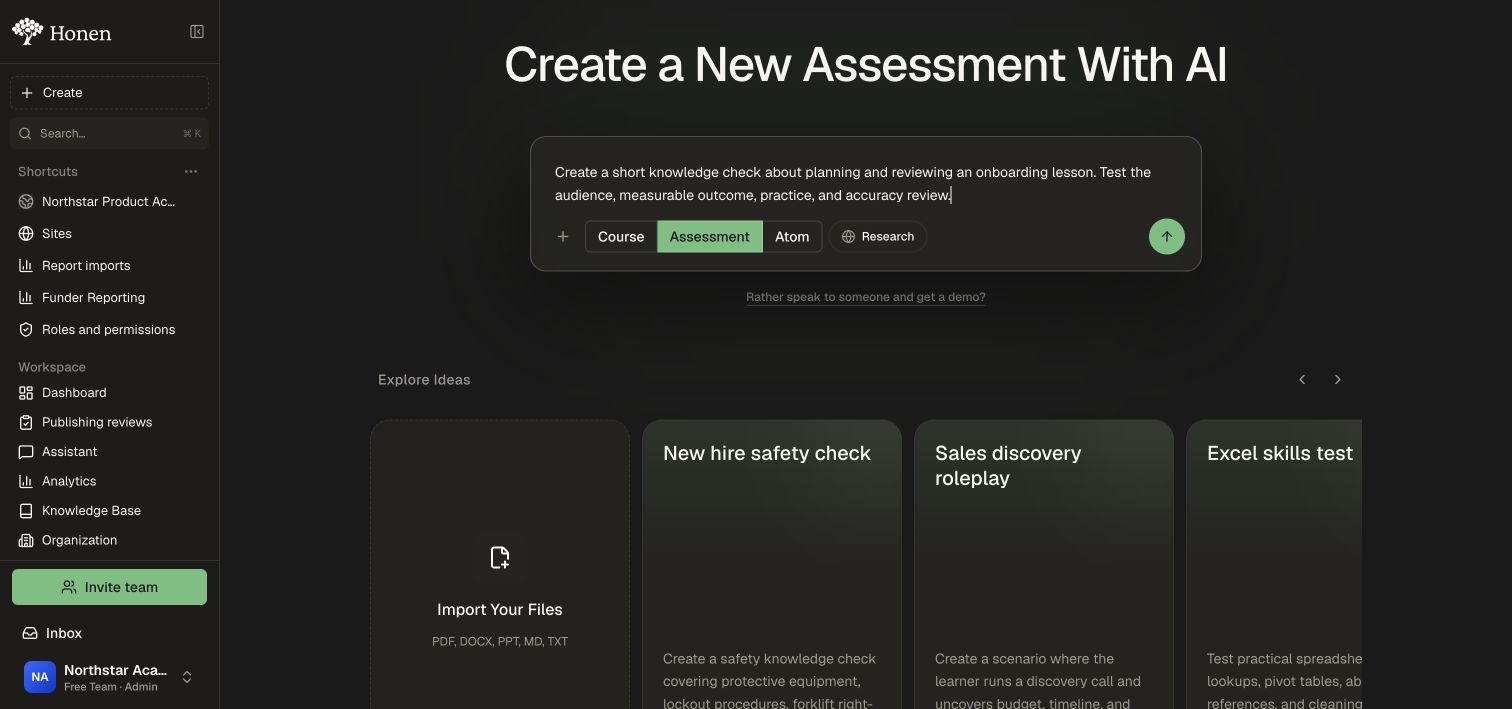
Assessment setup does not ask for a course length or academic/project-based course structure. Its purpose is to check performance. A short introduction may provide instructions or necessary context without turning it into a surrounding course.
Create an Atom
- Select Atom.
- Describe one focused concept to teach or one task to perform.
- Select Create atom.
- Answer any missing audience, level, or focus questions.
- Review the proposal, request changes if needed, and approve it.
- After generation, review the finished content in the editor.
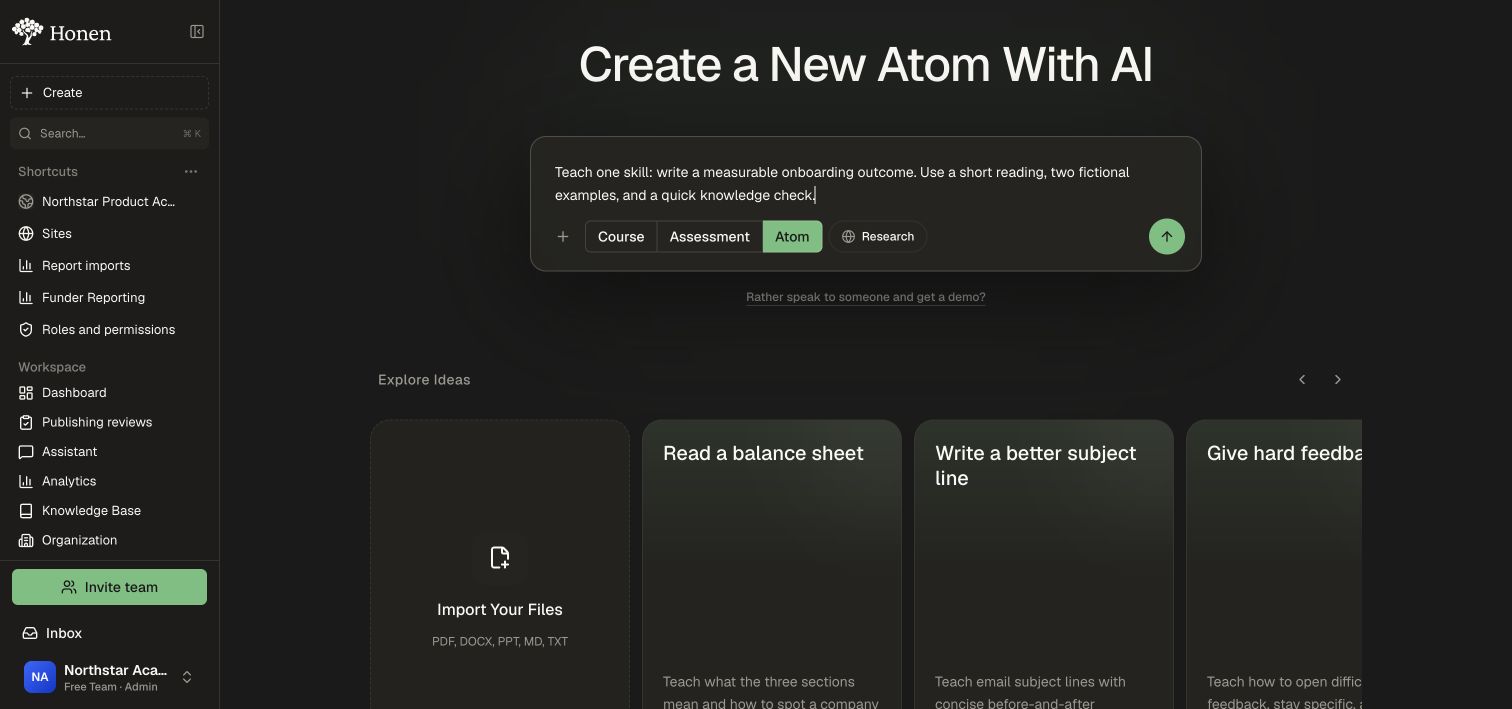
An Atom contains one topic with one to three activity formats, or one project. It does not add sibling topics or a unit test, and setup does not ask for course length or structure. For example, a short reading and quiz can support one topic; a single roleplay can be a project Atom. Use Assessment when the deliverable is a standalone test.
Tips for your next step
Choose a template that matches your intended content type, or clear the template to select a different type. Check the heading and selected type, add your brief, and submit to begin creation.
If the outline is broader than intended, request a narrower scope before approving. Once it has been built, follow Edit and review to revise the existing content.