
Keep learning accurate by giving the people closest to the work responsibility for its source material. A practical model is for subject-matter experts to own the facts and the learning team to own templates, teaching standards, and release quality.
1. Give each knowledge area a home
- Open Knowledge Base.
- Create folders for your teams or topics, such as Product, Customer Success, Legal, and Security.
- Add focused subfolders for the material people maintain together.
- Keep reusable learning instructions in a separate folder, such as Learning & Development.
- Add tags that help people find related material across folders.
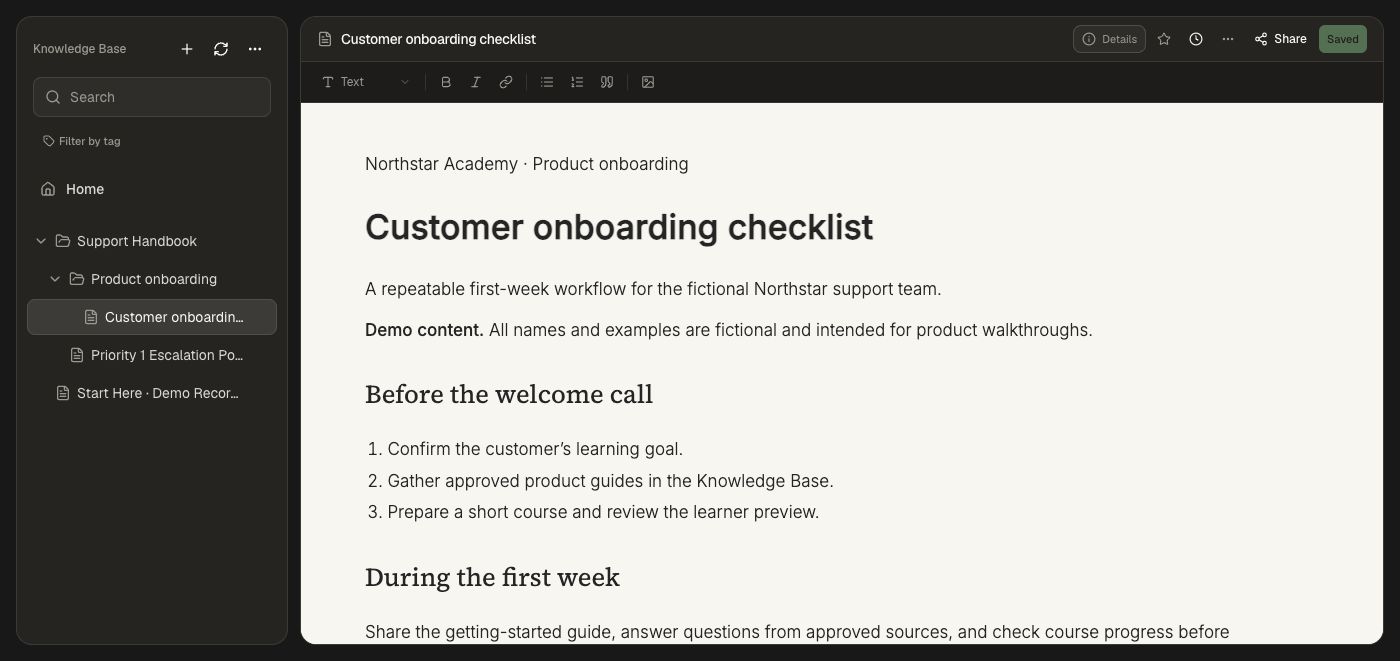
Use department folders when ownership follows your organization. Use shared-topic folders when several teams contribute to the same subject. See Organize and use source material for the folder and document walkthrough.
2. Set access to match the work
- Open the folder or document's sharing controls.
- Choose the workspace, groups, or named people who need access.
- Set the appropriate role: Viewer, Editor, Maintainer, or Admin.
- Save the sharing changes and confirm the intended audience.
Use Viewer for people who need to consult the source, Editor for contributors who update content, and the higher roles for the people maintaining and administering the knowledge area. Keep responsibility clear in the folder's documentation: name the team that reviews factual changes and who handles access decisions.
Source ownership, Skill sharing, course editing, and catalog access are separate controls. Give authors the sources they need and give learners the published experience intended for them.
3. Maintain the authoritative version
For Honen-authored documents, update the document and wait for Saved. Review Version history to compare revisions. For connected documents, maintain the original system and refresh the connection so the Knowledge Base reflects it.
Choose the appropriate connection for your library: GitHub, Notion and Confluence, cloud files, or Document360.
4. Carry changes into learning
- Update the source document and confirm its new content.
- Open a course that uses it and inspect the source material status.
- When Source doc updated appears, select Refresh from KB to update the course's material snapshot.
- Ask the course editor to revise the affected lessons, questions, or activities using the refreshed source.
- Preview the changes and submit the new course revision through publishing approvals.
Refreshing a source snapshot and revising the course are separate steps. This gives authors a chance to assess how a factual change should affect the learning experience.
5. Make maintenance repeatable
Agree on a review cadence with each source-owning team. Use an Automation to ask an Agent to inspect selected sources and identify affected courses. The Knowledge base drift starter suggests updates; configure proposal access and explicit instructions when the Agent should prepare course changes for human review.
Keep the work scoped to the Agent's allowed folders and courses. Use Rules for standing authoring requirements, Skills for repeatable review tasks, and Templates for the format in which the team teaches the material.