
Bring Honen learning activity into the reporting tools your organization already uses. With xAPI forwarding, Honen records selected learning events and sends a copy to each configured Learning Record Store (LRS).
You need Manage integrations permission and an LRS administrator who can supply an HTTPS xAPI endpoint and its Basic authentication credentials.
1. Choose the records you need
- Open Organization → Integrations → Your LMS → Learning records and cmi5.
- Turn on Enable xAPI for this workspace.
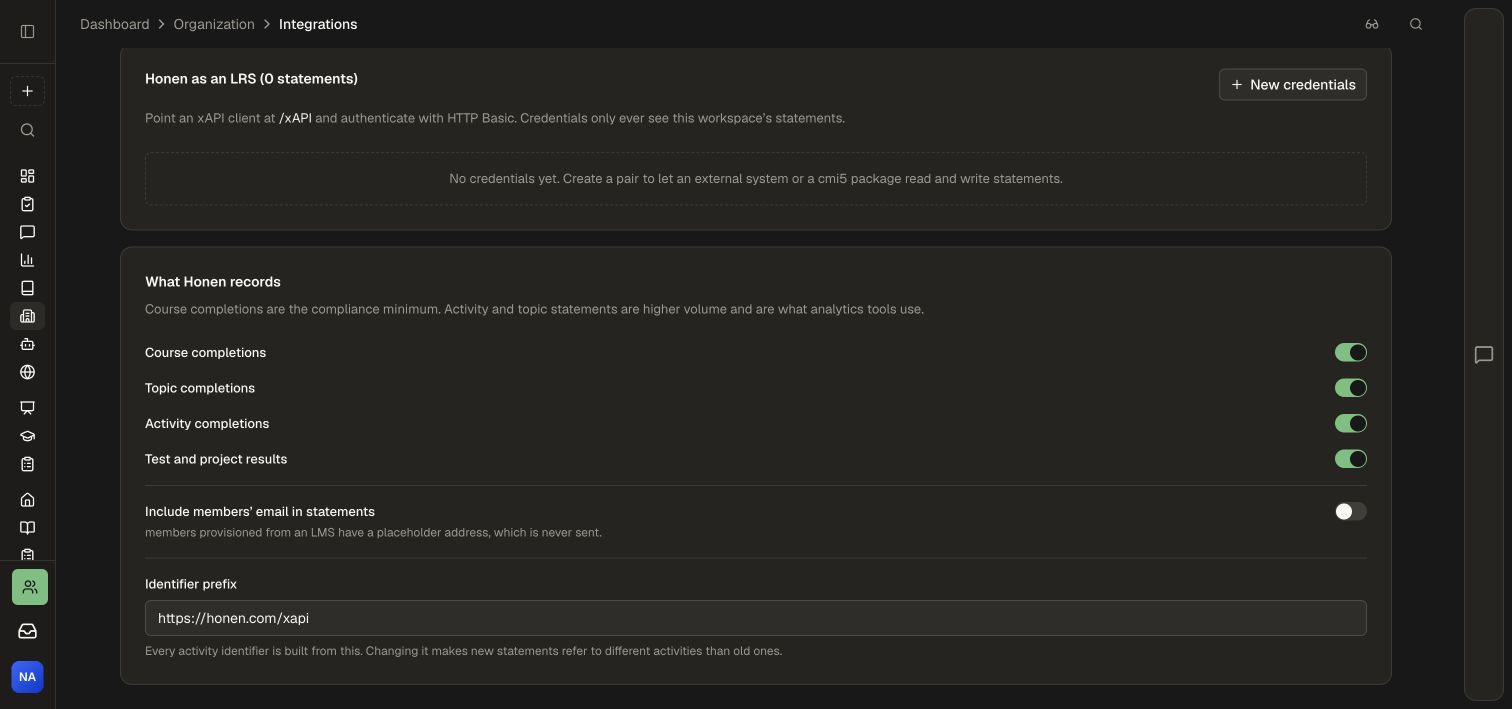
- Under What Honen records, choose the event families for your program.
| Event selection | Reporting purpose |
|---|---|
| Course completions | Track completion of the full learning program |
| Topic completions | Understand progress within a course |
| Activity completions | Analyze the individual learning experiences people complete |
| Test and project results | Connect assessments and practical work to outcomes |
- Decide whether to Include members' email in statements according to your reporting and identity policy.
- Review Identifier prefix before your rollout. Keep it stable so activity identities remain consistent across records.
2. Add your LRS destination
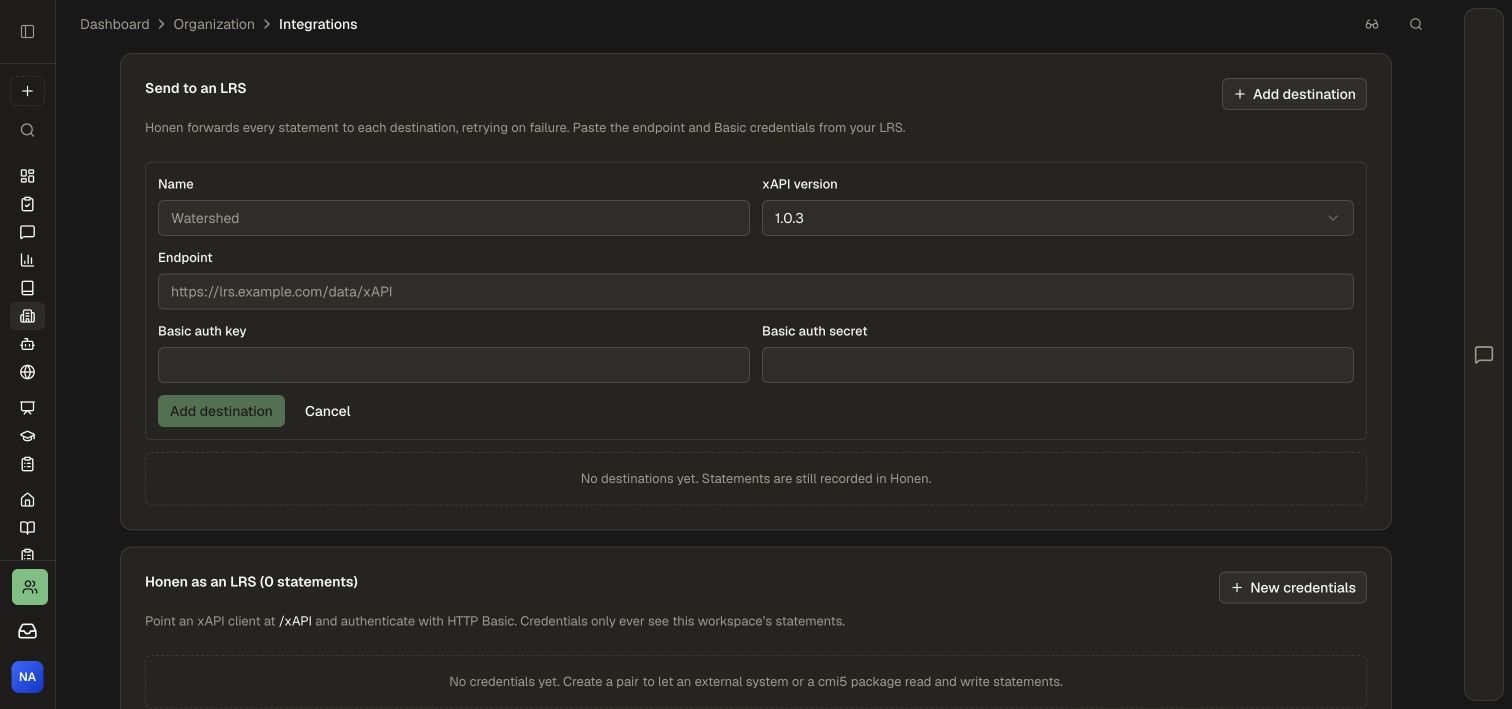
- Under Send to an LRS, choose Add destination.
- Enter a recognizable Name, such as the reporting environment or learning program.
- Select the xAPI version accepted by your LRS.
- Paste the LRS's HTTPS Endpoint. Use its xAPI base endpoint, as supplied by the LRS administrator.
- Enter the Basic auth key and Basic auth secret for that destination.
- Choose Add destination to save it.
- Use Test on the saved destination to check connectivity and authentication.
The connection test checks the destination without creating a learning statement. Next, complete a real test activity to verify the full reporting path.
3. Verify learning records
- Give a test learner access to a course containing the event types you selected.
- Complete an activity, topic, assessment, or course as appropriate.
- Open your destination LRS and locate that learner's new statements.
- Check the activity identity, event, timestamp, result, and duration where relevant.
- Compare the records with the learner's progress in Honen Analytics.
Honen stores its learning events locally before forwarding and retries temporary delivery failures. Recent delivery problems lists unsuccessful forwarding attempts when present. Use the destination's endpoint and authentication settings to investigate, then test the connection again.
Manage destinations
Add separate destinations when more than one approved reporting system needs the records. Each destination has its own connection and enable switch. Pause an individual destination when maintaining that reporting system; use the workspace xAPI switch when changing the recording policy for the entire workspace.
For an external client that should query or contribute records to Honen itself, use Honen as an LRS. For a cmi5 LMS launch, follow Export a cmi5 package.