
Study banks collect a course’s flashcards and quiz questions for self-directed review. Use spaced repetition to schedule recall practice, or practice freely while preparing for a standardized test or revisiting course material.
What the learner sees
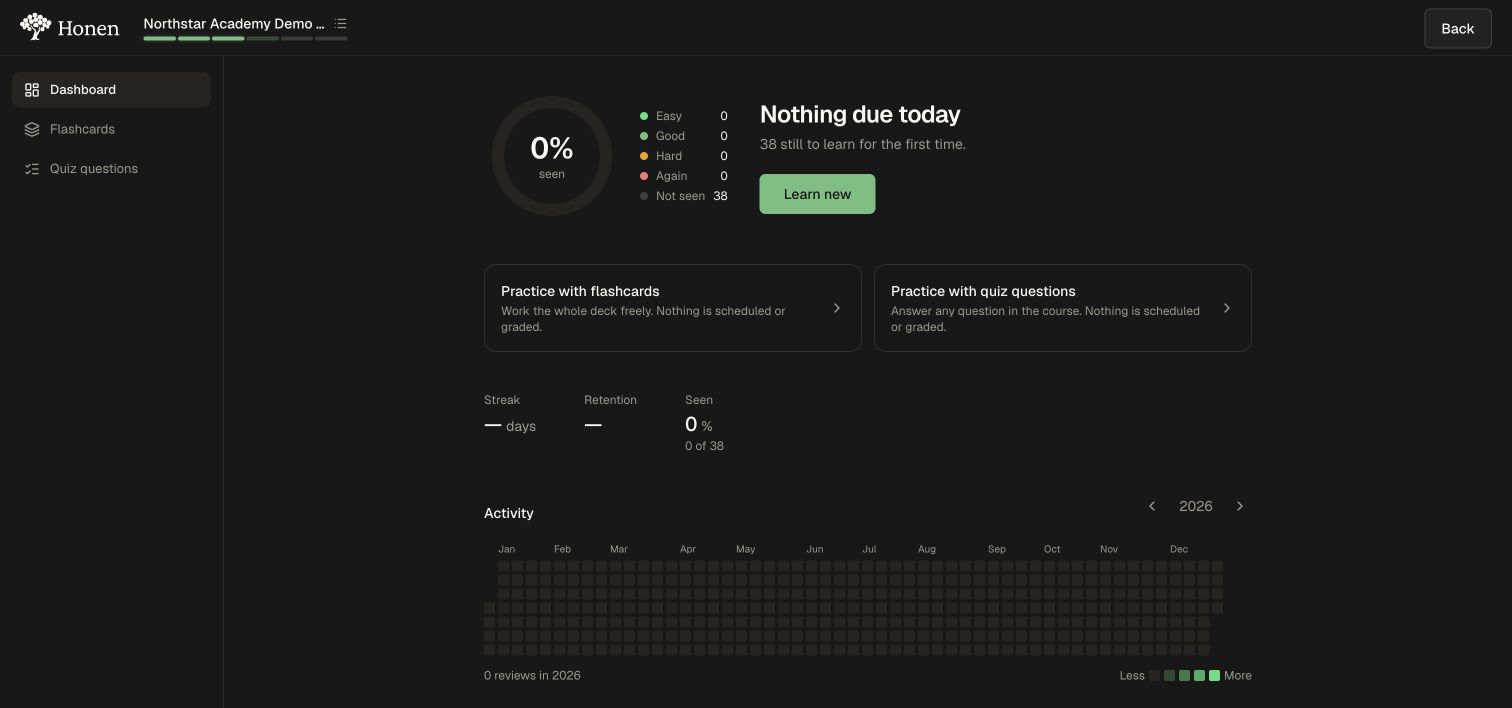
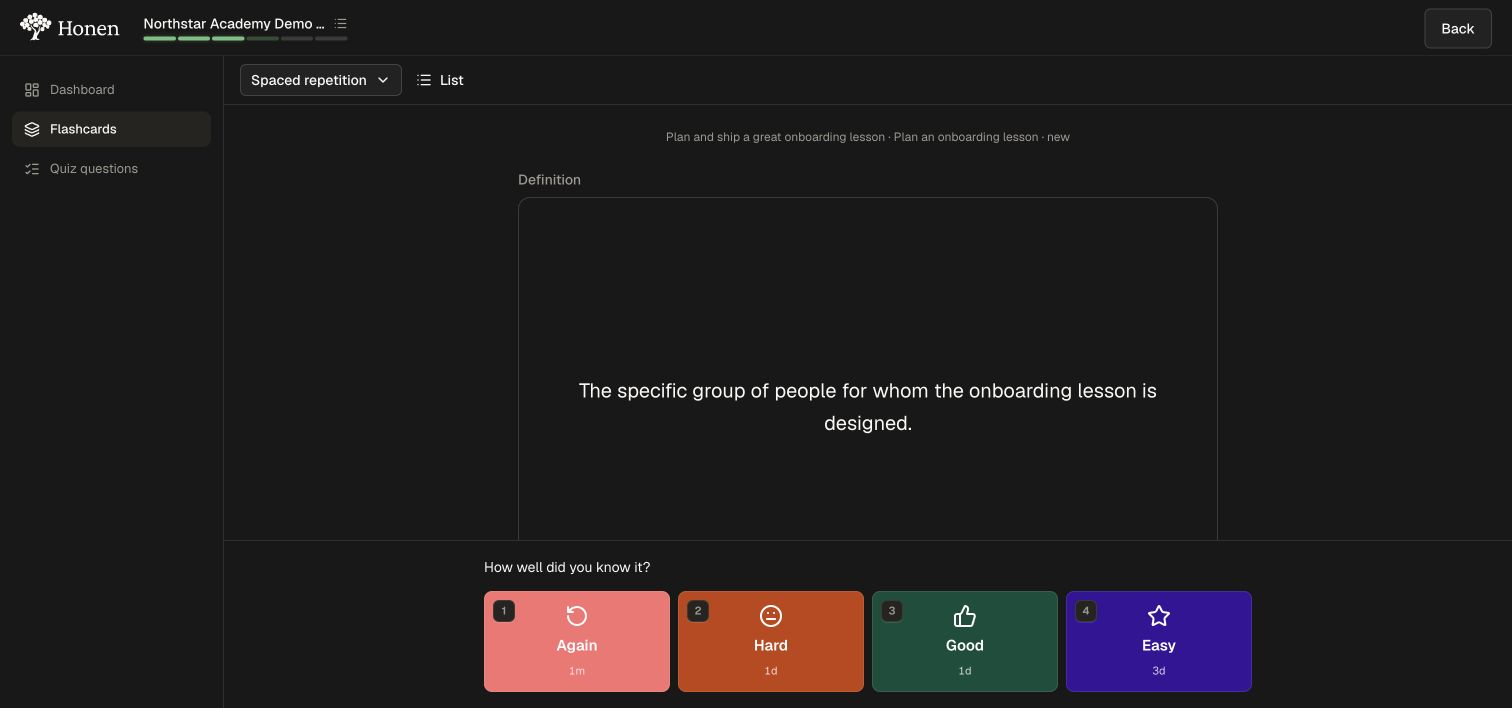
The Study bank dashboard shows due work and unseen items. A scheduled flashcard review presents a question, reveals its answer when requested, and asks the learner to rate recall. Those ratings determine when that item returns.
Why use it
Use a review routine to revisit course material while preparing for a standardized test or maintaining knowledge. Trying to recall before revealing the answer gives the learner a more useful check than rereading alone. Rate recall honestly and check performance on new questions; review counts do not establish mastery.
Get started step by step
1. Open the learner's Study banks
- Open a course and its lesson plan.
- Select Study banks.
- Read the dashboard's due-work and unseen-item counts.
- Use Learn new if no items are due and there are unseen items.
The dashboard distinguishes cards you have rated from items not yet seen. Nothing due today can still appear alongside new material to learn.
2. Complete a scheduled review
- Open Flashcards in Spaced repetition mode.
- Try to recall the term's meaning before selecting Show answer.
- Compare your answer with the definition.
- Rate your recall with Again, Hard, Good, or Easy. Read the interval displayed on each button.
- Continue to the next item. Return to the dashboard to inspect the updated review activity.
After you rate a card, Honen moves to the next item and schedules future practice using your recall rating. Your unit-test results remain available in the course.
3. Choose free practice when useful
Use Practice with flashcards or Practice with quiz questions from the dashboard to work through the material without scheduling or grading it. Use the mode picker to distinguish free practice from spaced repetition, and List to inspect the available items.
Check the result
- Reveal and rate a card. Confirm that the next card appears and inspect the interval displayed for your rating.
- Return to the dashboard and check the updated review activity and new/due counts.
- Use free practice and confirm that you are in the intended mode before reviewing.
- Build a routine around available course materials. Check whether you can answer new questions without looking at the source; keep required course tests and projects in view.
Course refreshers and follow-ups
Retention and refreshers are configured separately through Settings → Retention → Keep sharp. They add refresher stops to the course and schedule later check-ins. Read that guide to configure reinforcement within the learning path.