
Turn training records into an evidence pack for your funder or reporting team. Funder Reporting brings learning activity together with imported intake and employment data, so you can review the required fields before submitting through your organization's filing process.
1. Choose the scope and format
- Open Organization → Funder Reporting.
- Stay on Reports.
- Set Report on to the whole workspace or a particular group.
- Select the report format you need.
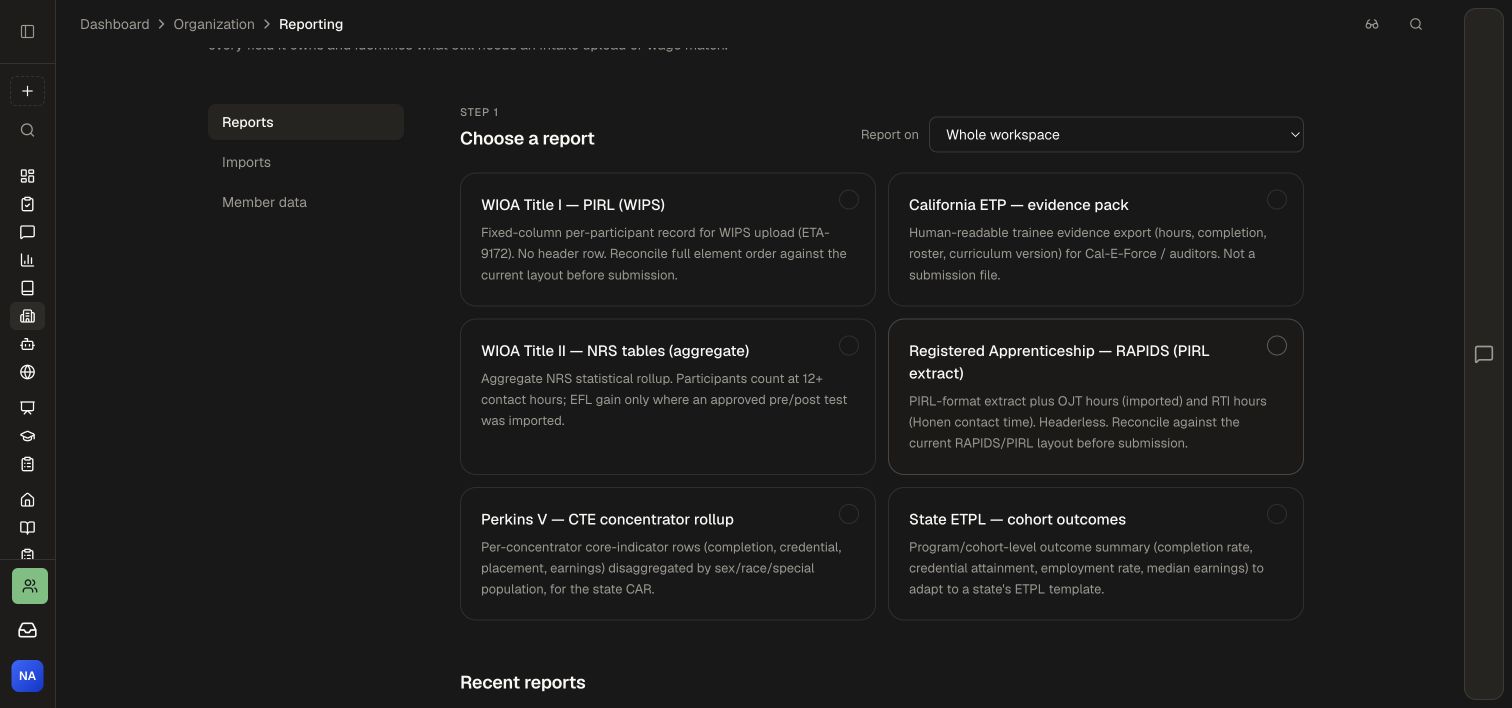
The available formats include WIOA Title I · PIRL (WIPS), California ETP · evidence pack, WIOA Title II · NRS tables, Registered Apprenticeship · RAPIDS, Perkins V, and State ETPL. Choose the format that matches your reporting task. Evidence packs organize records for review; filing formats should be checked against the destination's current requirements before submission.
2. Review readiness
After choosing a format, inspect What [report] needs. The screen separates Honen fills automatically from You still need to provide. Enrollment, completion, training time, and curriculum evidence come from delivery records. Intake demographics, employment, wages, or retention may need approved external records.
Use Import the missing data to complete the required fields, or inspect the linked learner list. Choose Generate with blanks for a working draft, then complete the required data before submission.
3. Prepare an import
- Open Imports.
- Download Blank template or Filled example to understand the input shape.
- Prepare an authorized CSV. Learners are matched by email.
- Choose Drop a CSV or click to browse to select the file.
- Review the import result before generating another report.
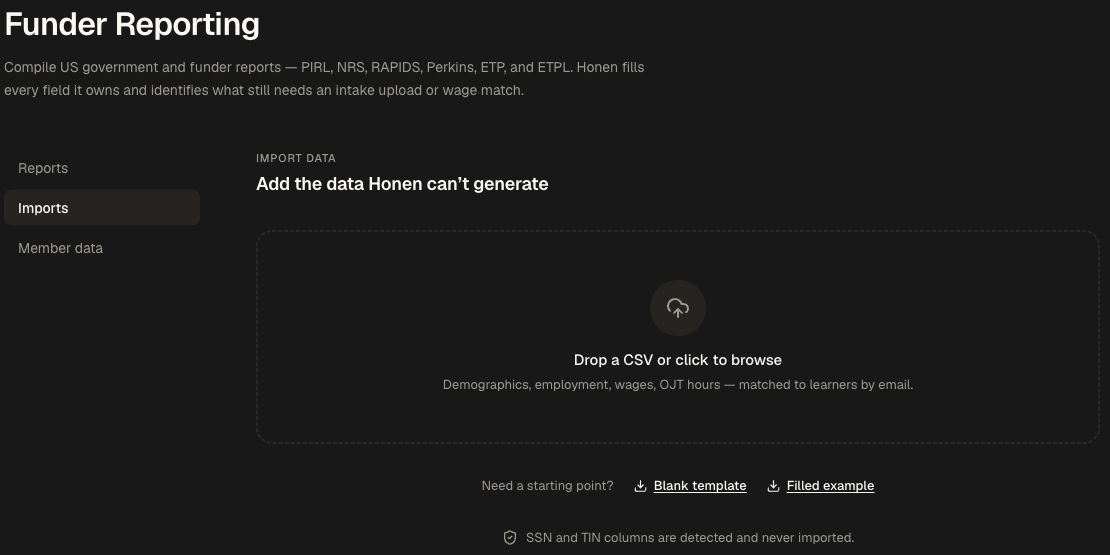
Prepare the CSV from the provided template, using email to match learners. The importer filters SSN and TIN columns. Use Member data to review and maintain reporting records with the appropriate reporting permission.
4. Validate the output for its destination
Check the selected group, report period where applicable, missing fields, and the destination's current file layout. The PIRL and RAPIDS cards specifically call for reconciling the field order with the current layout. Keep evidence exports separate from the actual filing process your agency or funder requires.
Tips for a smooth setup
Use approved intake and employment records to complete missing fields. Recheck the learner email match when reviewing imported records. Access to this area is controlled by Manage funder reporting, which includes sensitive learner reporting records.
Use Analytics and Reporting for activity and course-performance investigation. Manage the reporting cohort through People, Groups and Workspaces.