
Give your team a repeatable way to create learning. Templates define the starting format, Rules apply standing requirements, and Skills make useful prompts available on demand. Manage them in Organization → Rules, Skills & Templates.
Choose your starting point
| Control | What it does | Example |
|---|---|---|
| Template | Packages setup questions, structure, instructions, Skills, and source folders for a Course, Atom, or Assessment | A first-week onboarding course |
| Rule | Applies an enabled standing instruction on selected AI surfaces | Use numbered steps and a concrete success check |
| Skill | Runs a reusable prompt when someone invokes it | Turn a learning goal into a checklist |
Management permissions for Rules, Skills, and Templates are separate, so your organization can delegate each responsibility.
Start with a template
- Open Create and select an enabled template offered for the content type.
- Complete its starter fields and add your subject or source material.
- Answer the setup questions and review the proposed outline.
- Approve the outline to begin building the content.
- Preview and edit the completed draft before publishing.
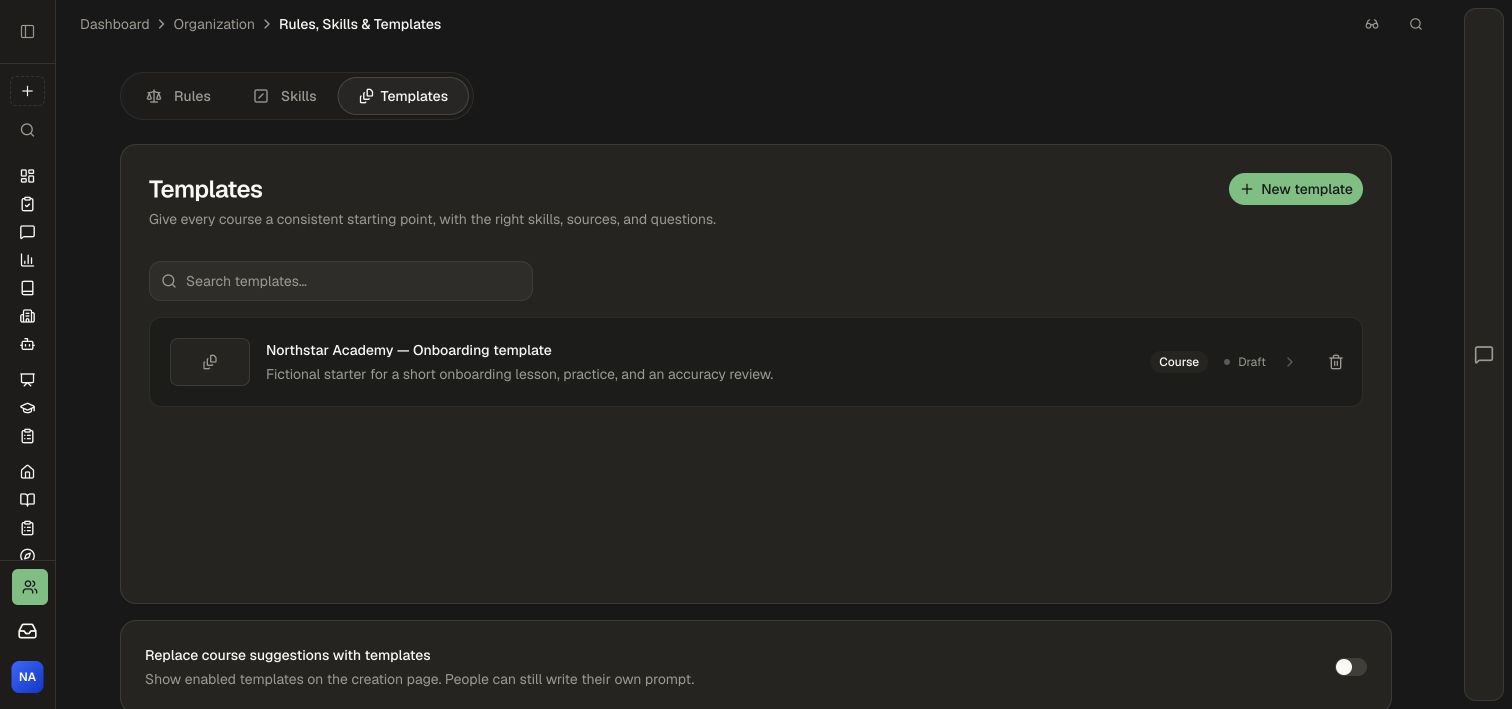
A template sets its content type. Clear it to return to your own prompt or choose a different type. Your team controls which enabled templates appear through Replace course suggestions with templates.
For the full setup, including starter fields, custom questions, activity choices, source folders, covers, and template lifecycle, see Create and manage templates.
Apply reusable guidance
Create a Rule when an instruction should apply every time on chosen surfaces. Create a Skill when an author should choose when to run a task. New Skills start restricted; share them with the intended people or groups.
Use Brand standards for generated visuals and Tutor guardrails for learner-facing coaching behavior.
Use a template on an existing course
Open Settings → General → Course template in the course editor. Attach or change a template to guide future editing, then ask the assistant for the changes you want. Selecting a template keeps the existing content.
A course retains its saved template instructions if the original template is later removed or unavailable. Selected Skills and Knowledge Base folders retain their own access requirements.
Continue with Governance to connect authoring standards, source ownership, and publishing approvals.