
Connect reporting pipelines and approved learning tools to Honen's workspace-scoped Learning Record Store (LRS). Use read-only access to analyze records, or read-and-write access when an external learning system should contribute them.
You need Manage integrations permission in the organization workspace and an xAPI-compatible client.
1. Create credentials for the client
- Open Organization → Integrations → Your LMS → Learning records and cmi5.
- Enable xAPI for the workspace.
- Under Honen as an LRS, choose New credentials.
- Enter a Name identifying the client, such as “Learning reporting pipeline.”
- Choose Read only for reporting or Read and write for a learning system that submits statements and uses state or profile documents.
- Choose Create credentials.
- Copy the key and one-time secret into the client's protected configuration, then choose Done.
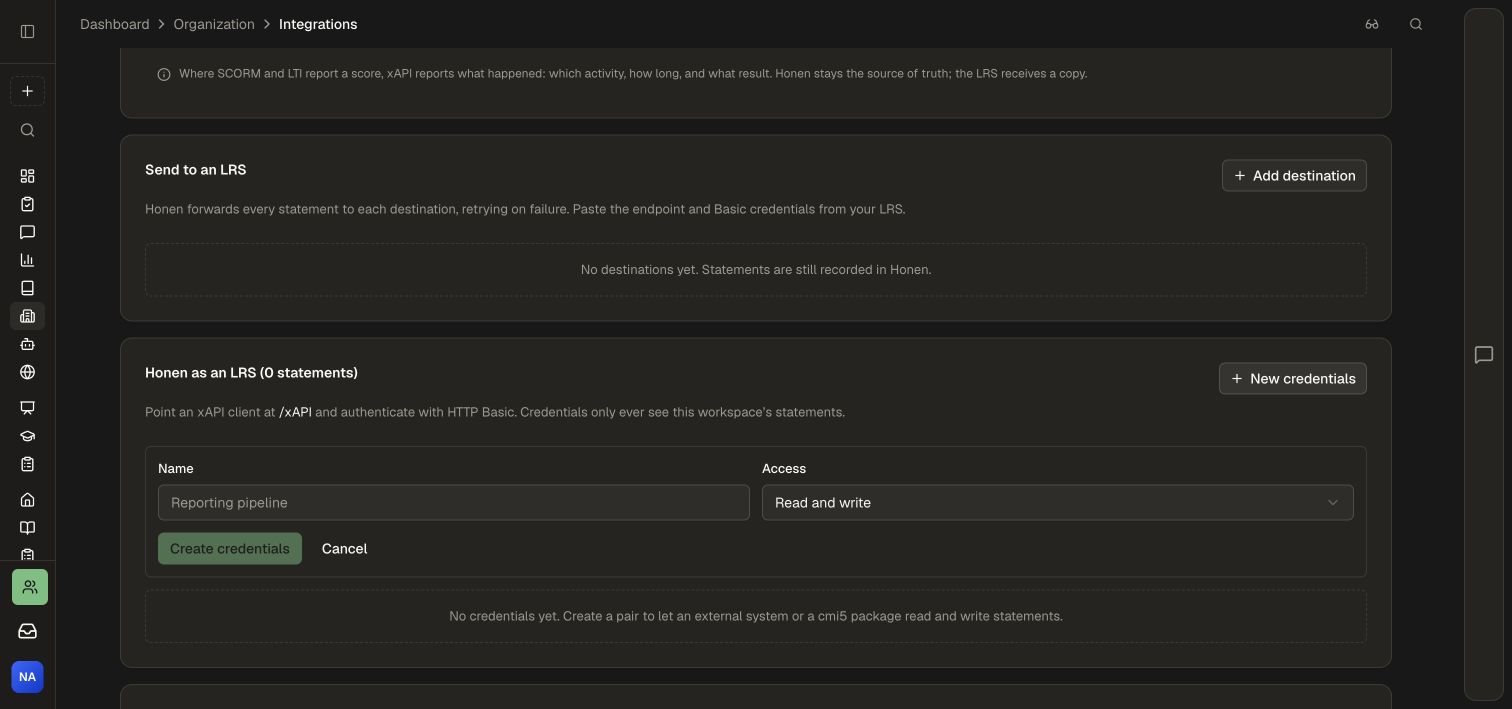
Use a separate credential pair for each client so its access can be managed independently. The client sees records from the workspace that issued its credentials.
2. Configure the xAPI client
| Setting | Value |
|---|---|
| LRS base endpoint | https://honen.com/xAPI |
| Authentication | HTTP Basic using the generated key and secret |
| xAPI version | Send X-Experience-API-Version: 1.0.3 |
| Statement resource | /xAPI/statements |
Use the LRS credential pair for this connection. The Honen Connector API uses a separate authentication workflow.
For a read-only verification from a protected terminal environment:
curl --user "$HONEN_XAPI_KEY:$HONEN_XAPI_SECRET" \
  -H 'X-Experience-API-Version: 1.0.3' \
  'https://honen.com/xAPI/statements?limit=10'
Set these environment variables from your secret manager or secure local configuration. Keep actual credentials out of shared scripts and documentation.
3. Validate the client workflow
- Complete a learning activity in Honen with the matching event type enabled under What Honen records.
- Query the statements resource with the reporting client.
- Confirm the expected learner, activity, result, and timestamp.
- For a read-and-write integration, submit a test statement from the external learning tool and retrieve it again.
- If the tool uses saved state or profiles, verify those operations with the same credential pair.
The LRS also exposes activity state, activity profiles, agent profiles, activity information, agent information, and an about resource. Configure your xAPI client to use the base endpoint, version header, and workspace credentials above.
Manage access
The credential list shows the key, scopes, request count, and active state. Use its enable switch to pause a client and its revoke action when retiring that credential. Keep a replacement client configured and verified before completing a planned credential transition.
For outbound reporting, follow Send learning records to an LRS. To launch a Honen course from a cmi5 LMS, use Export a cmi5 package.