
A Honen course brings lessons, practice, projects, and a tutor into one learning experience. The formats you see depend on what the author included. Your course and assignment settings determine what you must complete.
Open a topic and choose a format
- Open your course or assignment and select a topic from its lesson plan.
- If a start screen appears, read the goals and choose an available activity.
- Use Read for the lesson, Flashcards for recall practice, or Quiz to check understanding. Media formats appear when the course includes them.
- On desktop, use Add another activity pane to keep two formats visible.
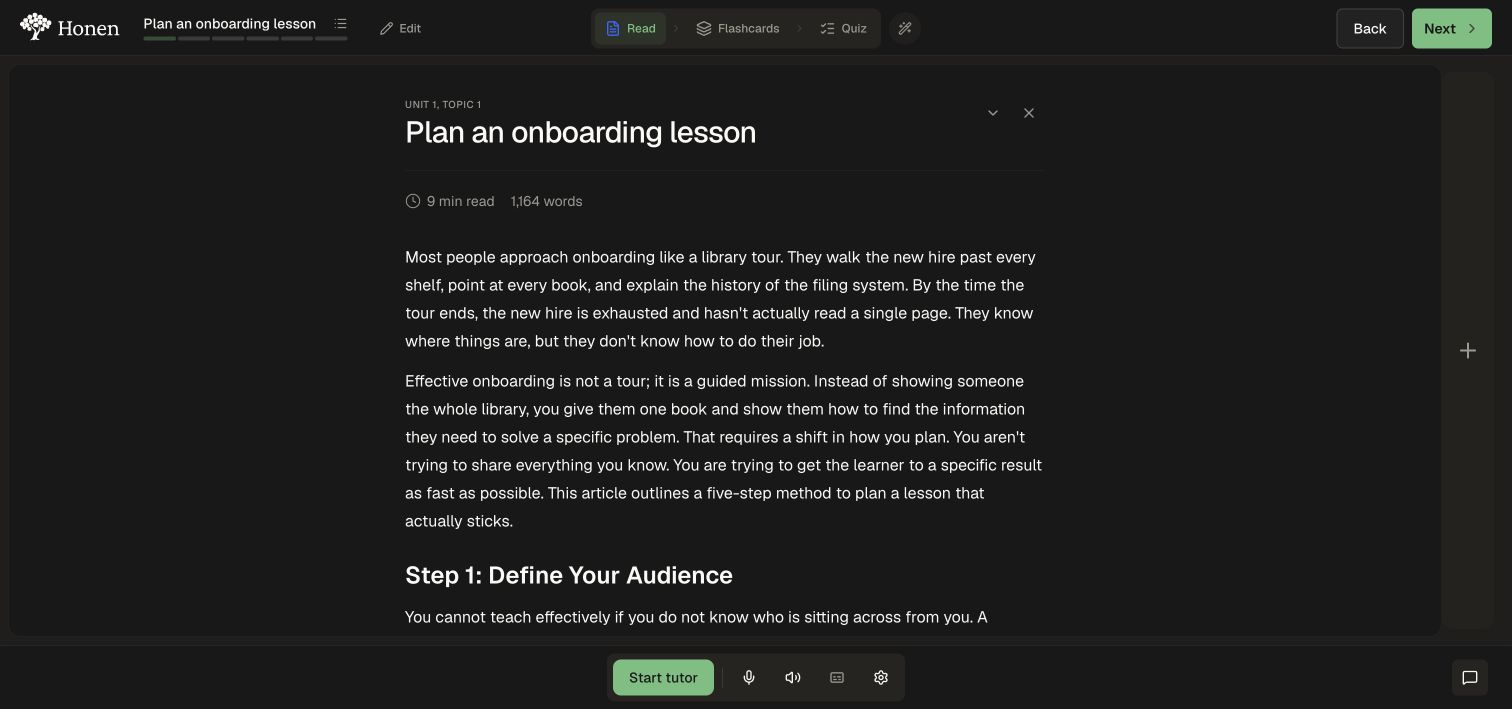
Follow the detailed walkthroughs to read and navigate, study flashcards, take a quiz, or study side by side.
Ask for help
Open the tutor alongside the current activity. Start a session, ask a specific question, and use the microphone and audio controls independently. You can use text with both muted. Pause the session when taking a break.
Your author selects Standard or Advanced tutor mode and the tools available in the course. Advanced mode supports richer responses and optional course or Knowledge Base search, with access and assessment settings tailored to the learning experience.
See Ask the AI tutor for help.
Practice and demonstrate a skill
A topic quiz provides feedback on its questions. When a confidence step appears, record how certain you are before reading the explanation. Projects ask you to do work, such as handle a scenario, write a prompt, complete a worksheet, or build an artifact. Read the project's instructions and grading criteria before submitting.
Unit tests are separate from practice quizzes. Open the unit's test from the lesson plan, complete its required responses, and submit it explicitly.
Check progress and remaining work
Open the lesson plan and inspect Finish the course. The remaining-work list takes you to the tests, projects, and activities needed to complete your course.
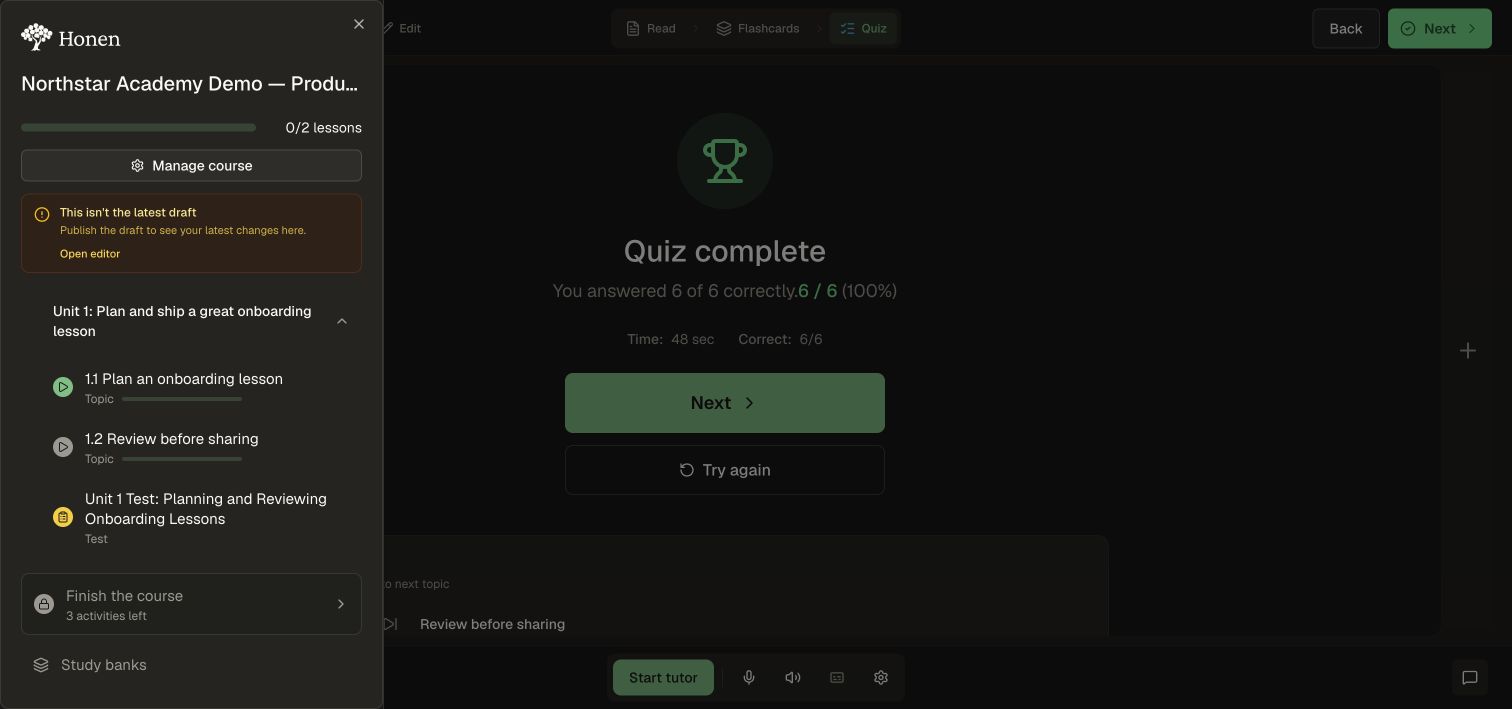
Your course, assignment, and curriculum each have completion requirements chosen by the author. Complete the required tests, projects, and activities to progress toward your certificate. See unit tests and remaining work.
Continue practicing
Study banks offer self-directed review of flashcards and quiz questions. Keep sharp provides separately configured course refreshers and follow-up checks. Use them alongside your course's required tests and projects. See Study banks and spaced repetition · Retention and refreshers.
Sources and personalization
Source citations can appear in readings grounded in Knowledge Base documents. The course's citation visibility settings and your permissions determine which sources you can open.
Where personalization is offered, review the adapted explanation against the original learning goal. Ask the tutor about an unclear passage and check important procedures against the approved source.