
Use a form project when learners should submit a structured response, such as a plan, reflection, or checklist. This walkthrough uses fictional welcome-call data in the Northstar demonstration course.
1. Create the exercise
- Open the course editor and its Course Editor Assistant.
- Name the unit that should contain the project and describe the fields, learner task, and evaluation criteria.
- Ask for a form project. For this example: “Add a welcome-call planning form to the practice unit. Ask for the customer's week-one goal, one approved guide, and a three-part definition of done. Use fictional data. Grade each part against the supplied welcome-call playbook.”
- Wait for generation, then select the project in the Edit course tree.
- Check the form's Preview tab. Confirm each field has a clear label and the expected input type.
2. Check learner instructions and grading
- Open Instructions. Write directions to the learner, including the scenario, what to submit, and the sources they should use.
- Open Rubric. Check each criterion's name, weight, and description.
- Make the expected answer concrete. If Customer onboarding checklist is the approved guide, say so in both the task and the relevant criterion. Learners can then use the same criteria to prepare their response.
- Select Save, then Apply Changes when the course has a saved draft to apply.
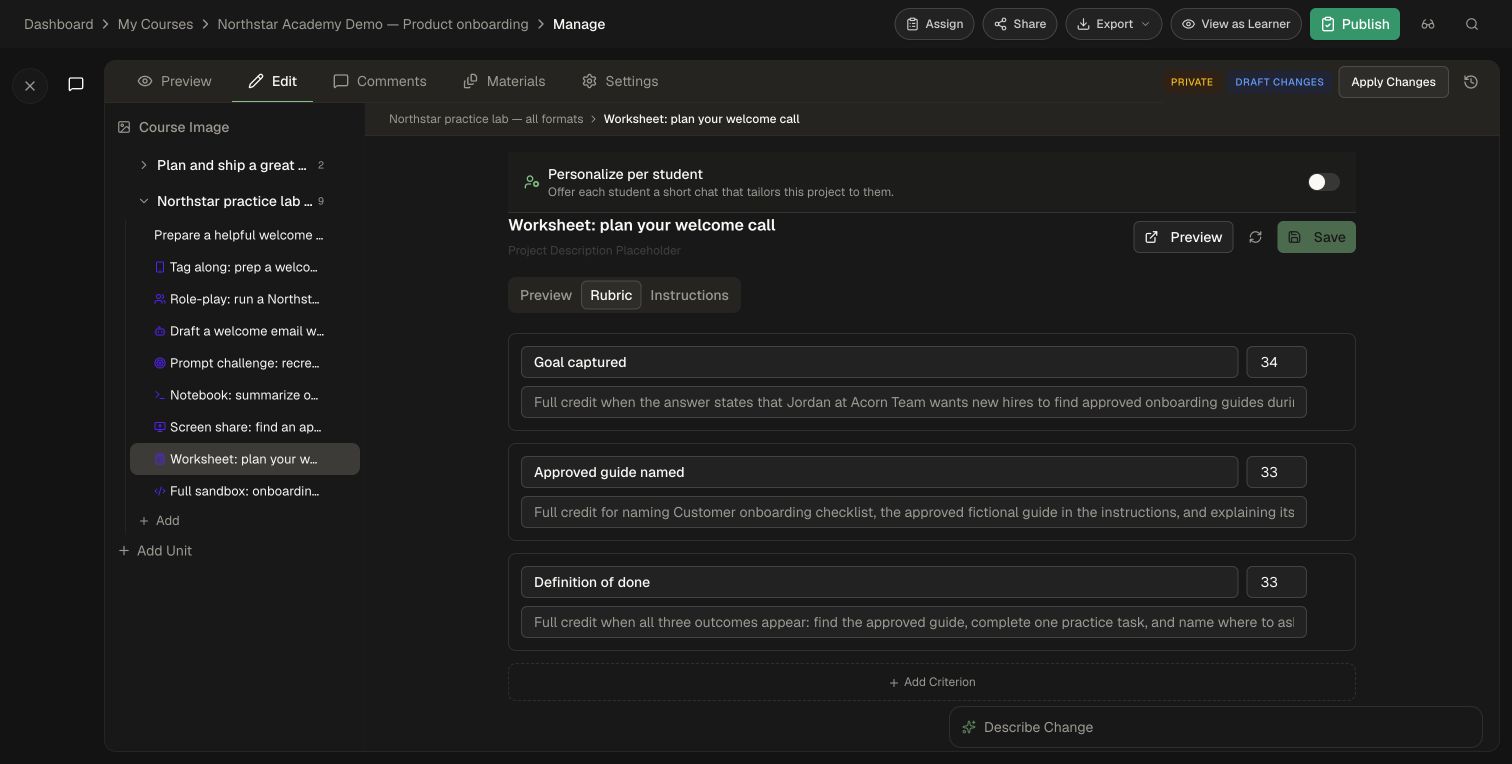
In this example, the three criteria are Goal captured, Approved guide named, and Definition of done. Describe the evidence you expect and allow equivalent correct wording.
3. Try the learner submission
- Open the project's Preview link to enter the learner experience.
- Read Instructions and select Begin.
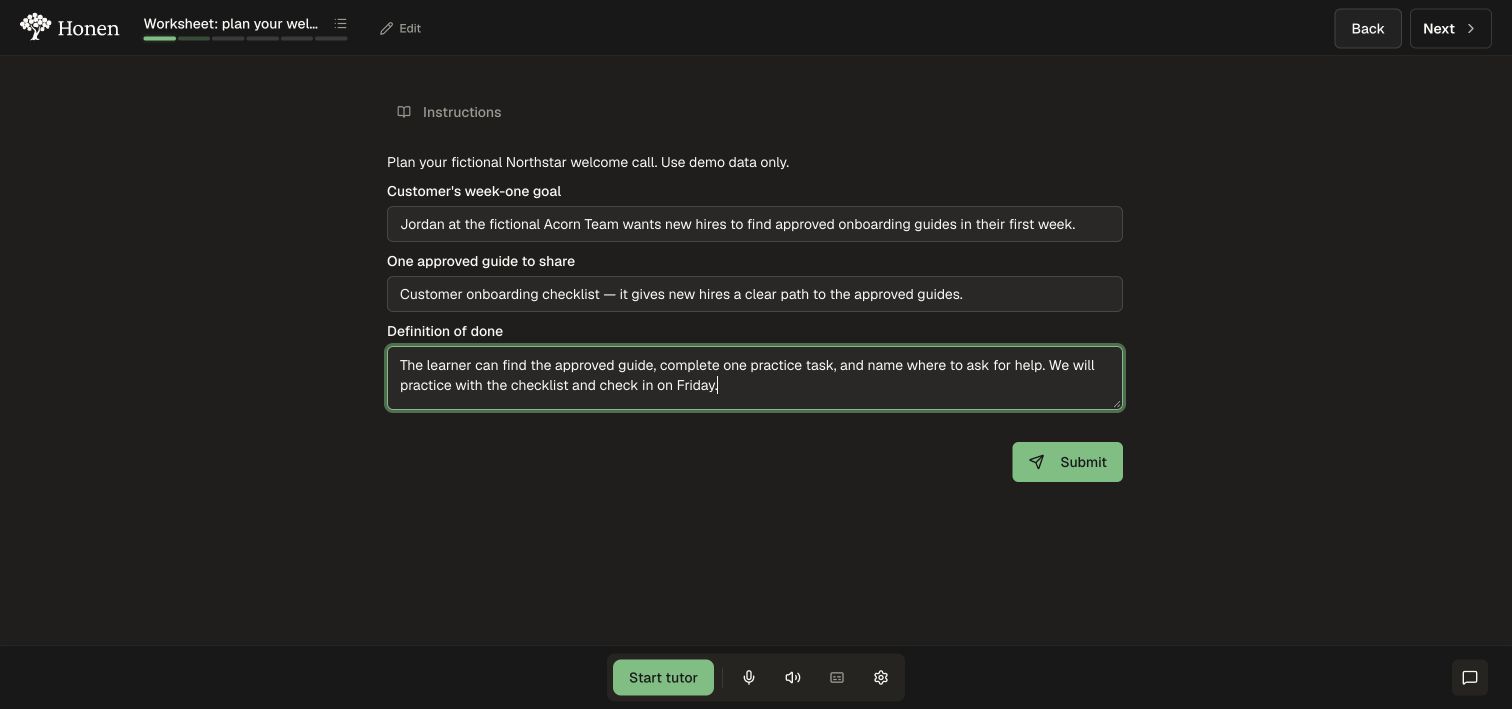
- Complete all three fields using the fictional customer scenario.
- Select Submit and wait for evaluation.
- Review the score, criterion breakdown, and feedback to see how the response meets the rubric.
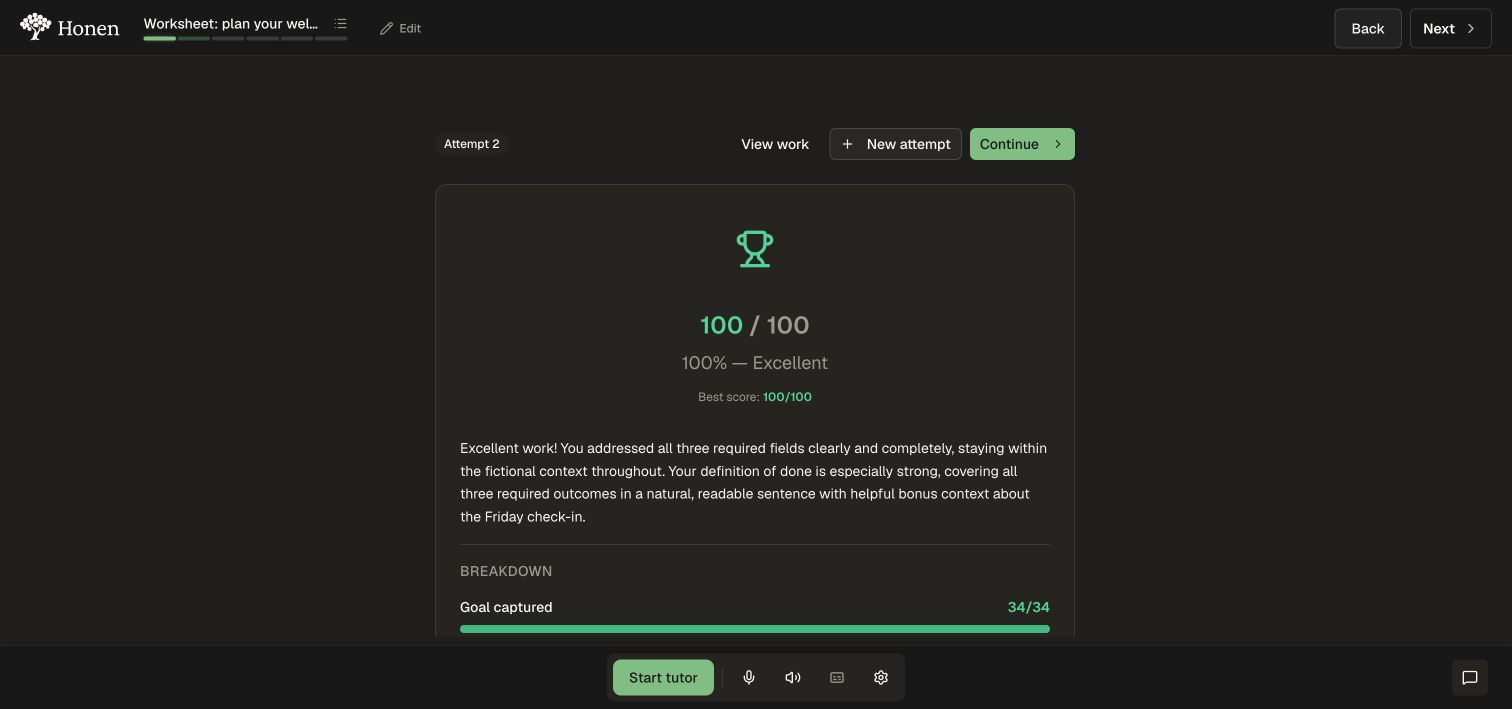
Use View work to inspect a submitted response. If you change the instructions or rubric after testing, apply the change and use New attempt to check it again. An existing attempt's feedback remains evidence of the earlier submission.
Continue
See Activities and projects to choose another exercise type, Edit and review a course to manage revisions, and Role-based training to connect the exercise to a real work task.