
Use a topic quiz to check understanding, record confidence, and learn from explanations. The example uses a six-question quiz about planning an onboarding lesson.
1. Open the quiz
- Open the topic and select Quiz.
- Read the question and all answer choices.
- Select an answer. Choose I don't know, when offered, if you cannot answer yet.
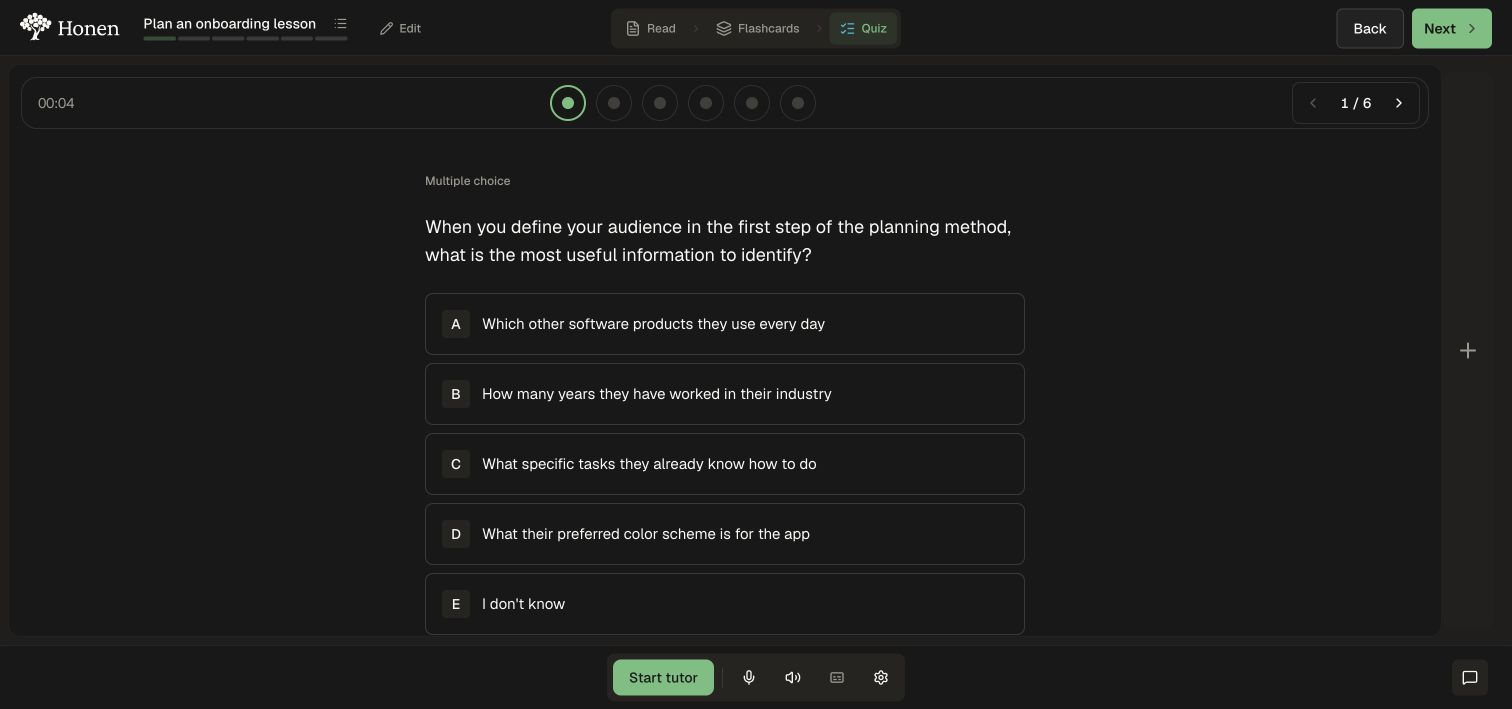
2. Record confidence
- Check the answer shown under Your answer.
- Use Change answer if you selected the wrong option by mistake.
- Choose Not sure, Somewhat sure, or Very sure.
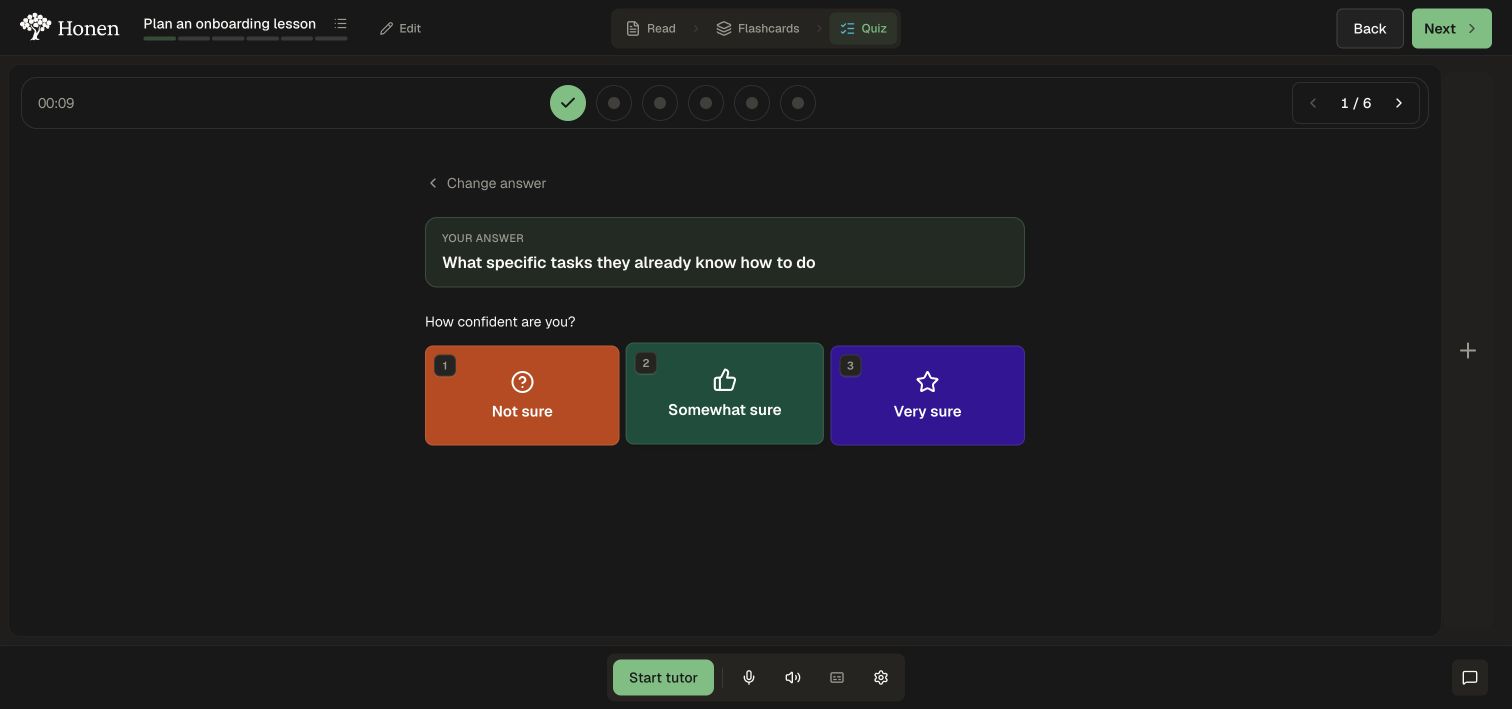
The interface lists keyboard shortcuts: letter keys choose an answer, 1–3 choose confidence, and Enter advances when the next action is available.
3. Read the explanation
- Review whether the answer was correct.
- Read the explanation below it, even if you answered correctly.
- Select Next question.
- Repeat for the remaining questions. The progress dots show answered and unanswered items.
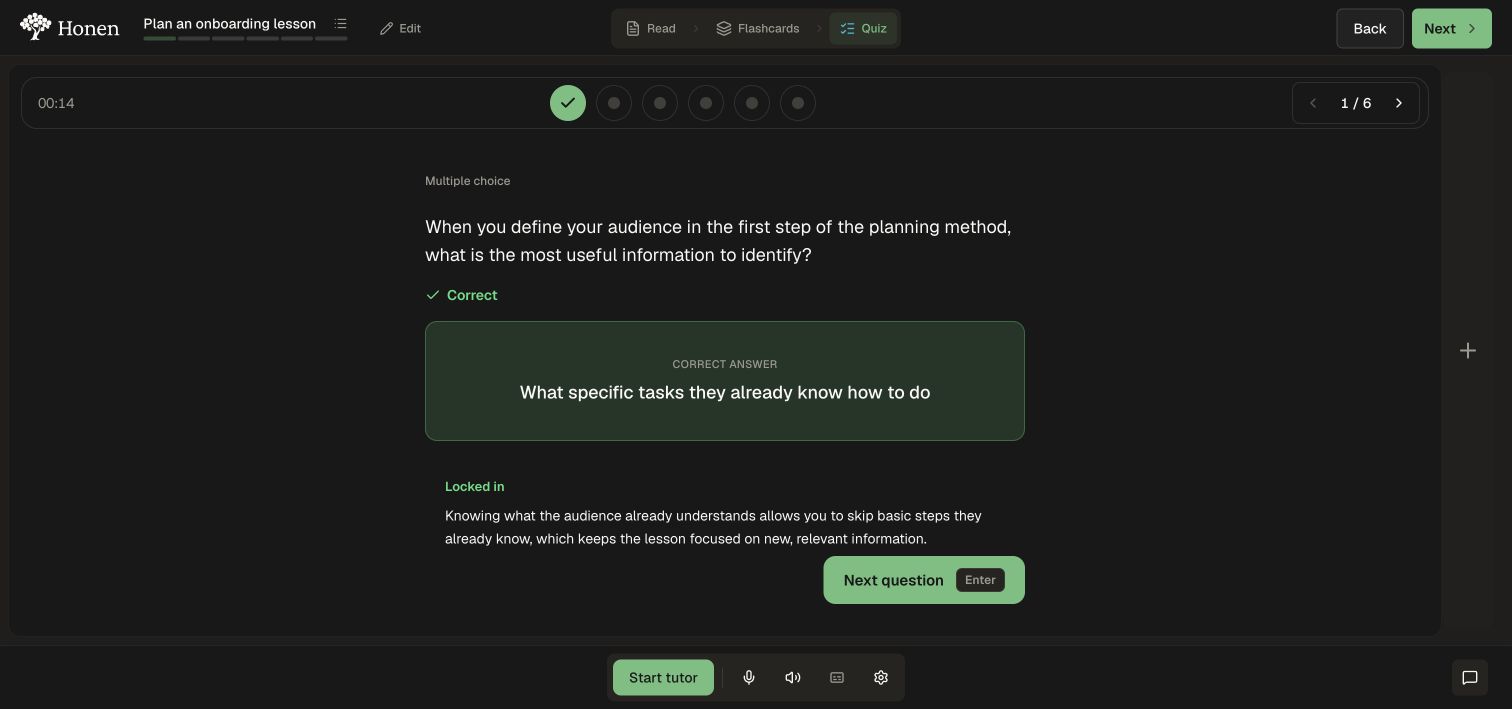
4. Complete the quiz
- After the final response, select Complete.
- Confirm Quiz complete and inspect the result.
- Select Try again for more practice or move to the next topic.
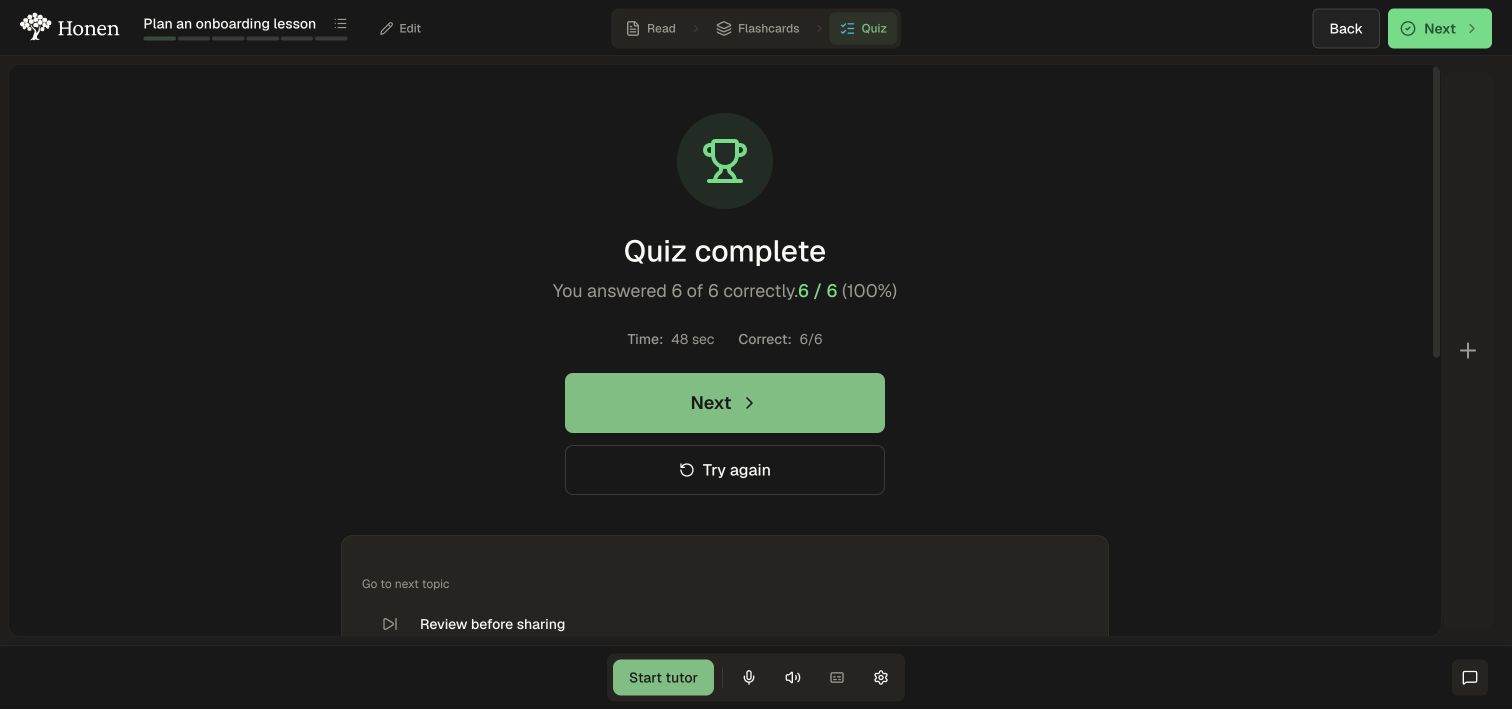
A topic quiz result is separate from a unit test, assignment pass requirement, or course completion. Check the lesson plan for any remaining work.