
Practice recall by answering the front of a card before flipping it. Flashcards must be available for the current topic.
1. Open the deck
- Open a topic.
- Select Flashcards in the format bar.
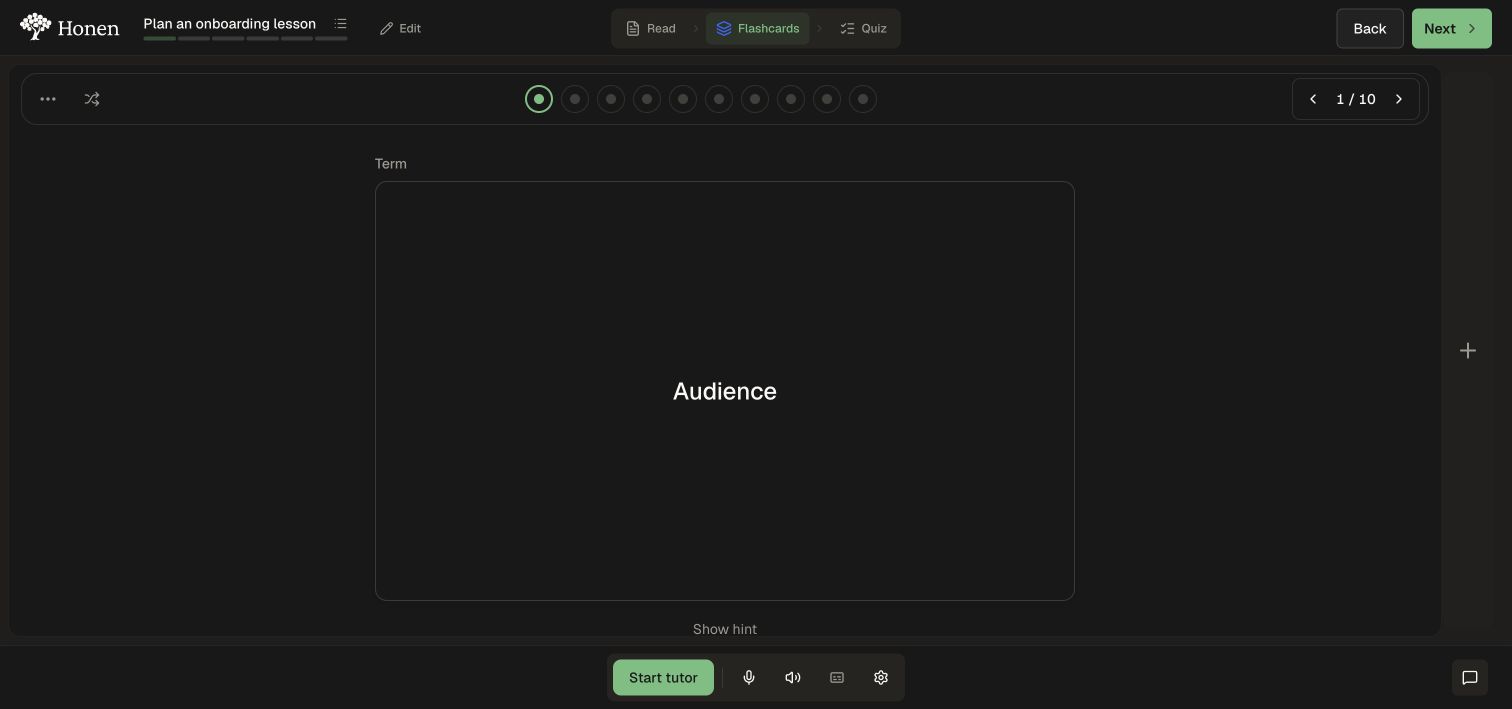
- Check the card count at the top.
- Read the term or question and try to answer it before flipping.
2. Reveal and continue
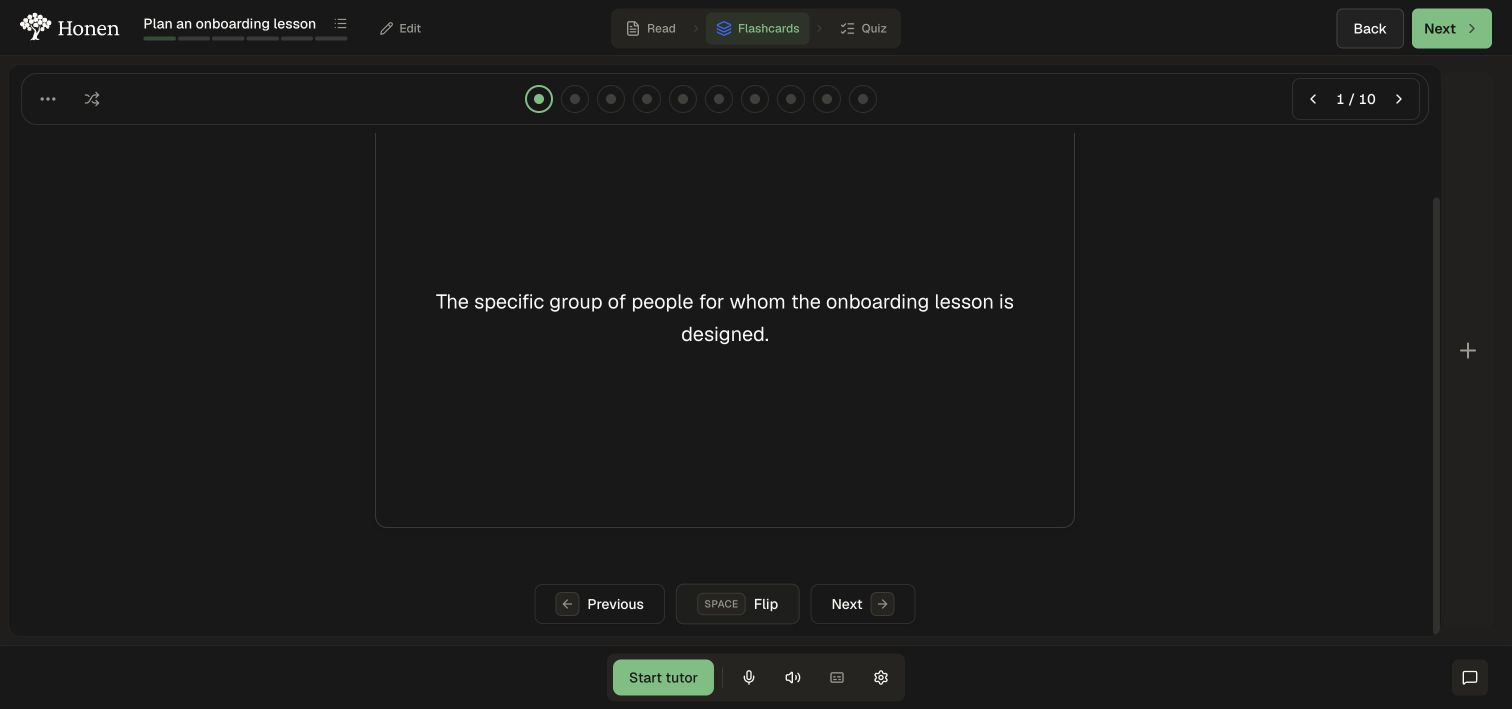
- Select the card or use Flip. The control also shows the Space shortcut.
- Compare your answer with the revealed definition.
- Use Next card or Previous card to move through the deck.
- Use a numbered progress dot to jump to a particular card.
- Select Show hint when available if you need a prompt before revealing the answer.
3. Change practice order
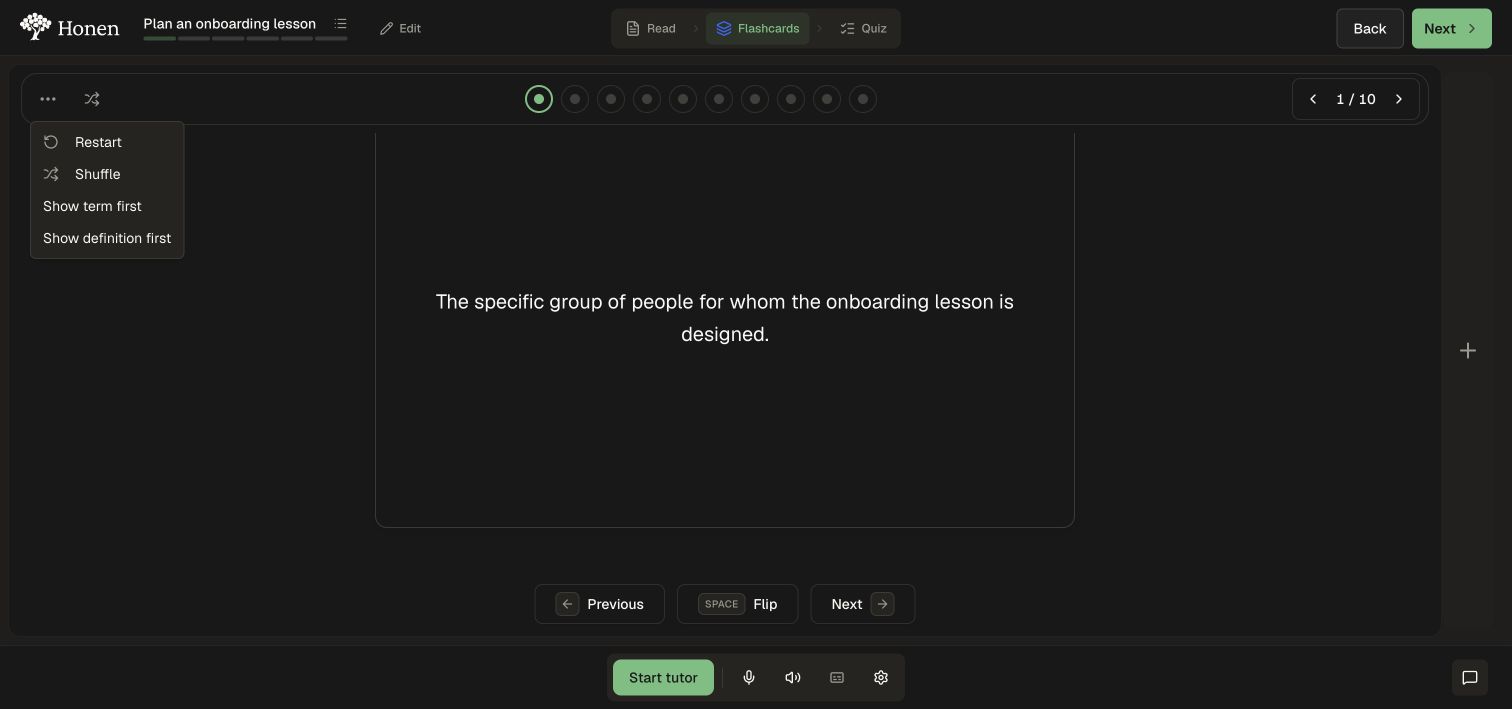
- Open Flashcard settings (the three-dot control).
- Choose Shuffle to vary the order.
- Choose Show term first or Show definition first to change the direction of recall.
- Use Restart when you want to begin again.
You can also open the reading beside the deck using Add another activity pane on desktop. For scheduled recall ratings, use Study banks.